01 /
Pick a task. Press start.
Set any duration, choose a color tag, or start from a reusable habit. If you run over, the timer keeps counting.
 minutide.
A little structure. A clearer day.
You did more than tick a timer. Keep the work, the notes and the small wins together — so your day makes sense later.
Works offline. No account needed to start.
FROM A SESSION TO A STORY
A useful time record needs context. Minutide keeps it close, before the details fade.
Set any duration, choose a color tag, or start from a reusable habit. If you run over, the timer keeps counting.
A useful link. What worked. Where to pick up. Add notes while you work, then review your session before the break begins.
Browse your day, compare tags, and see your rhythm over the week. Forgot the timer? Fill a gap directly on the calendar.
BUILT AROUND YOUR DAY
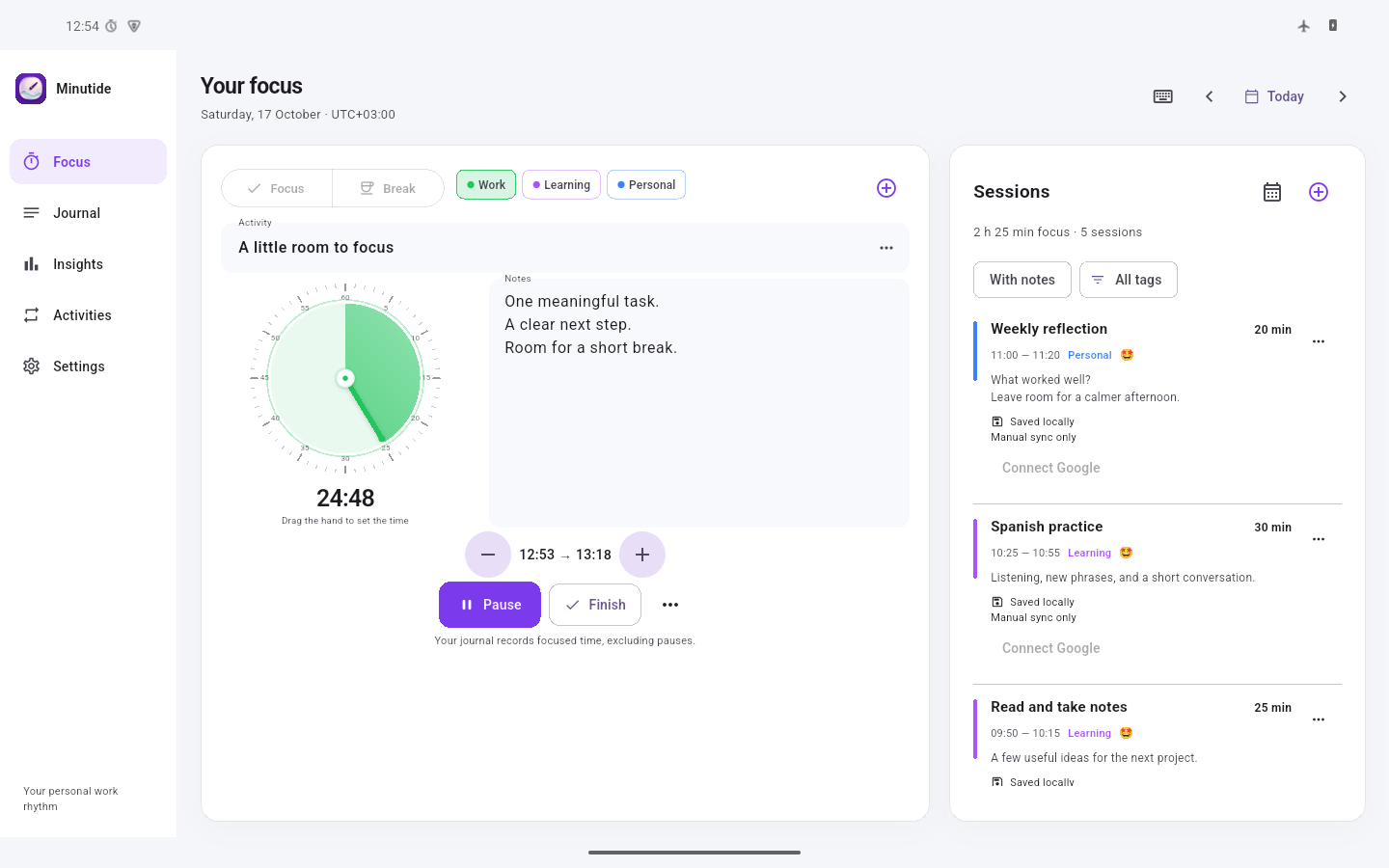
An adjustable clock, notes that stay in view, and overtime that doesn’t throw away your flow.
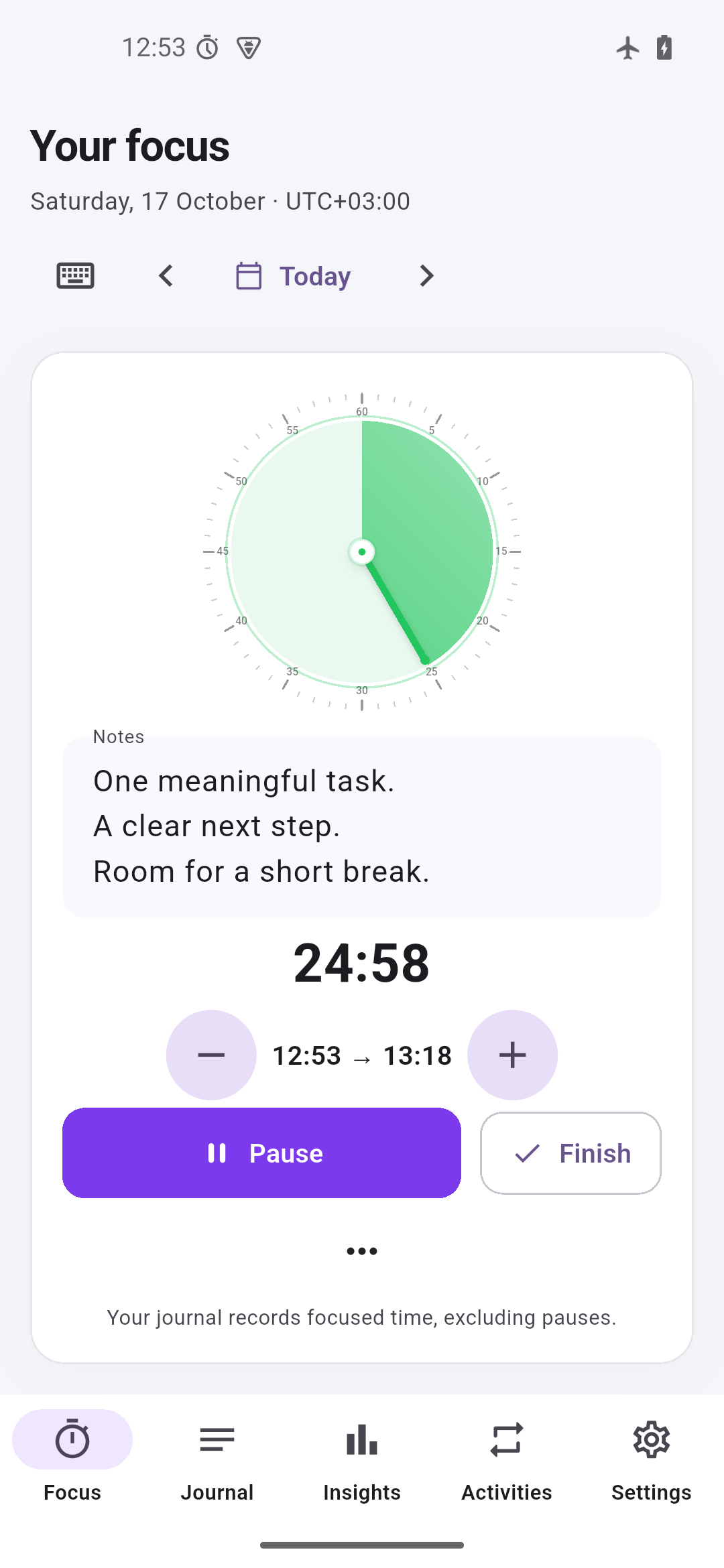
Android · example journal
AT YOUR DESK. ON THE GO.
Keep a quiet timer in your Mac menu bar. On Android, use resizable home-screen widgets and notification controls without opening the full app.
This release keeps your journal on each device. Google Calendar integration is prepared, but public sign-in stays disabled until OAuth readiness checks are complete.
YOUR TIME IS PERSONAL
Start offline, with no account. Your journal lives on your device. There are no advertising or analytics SDKs in the app, and no AI service reading your notes.
Google sign-in is disabled in this public release. In a future enabled release, Calendar sync will send session titles, notes, tags and timing to your selected Google calendar with your permission. Backups and exports are readable files: keep them somewhere private.
Read the privacy details ↗A SMALL TOOL FOR THE WORK THAT MATTERS
Free early access. Download directly, keep a backup, and help shape what comes next.
macOS 13 or later · Apple Silicon & Intel
Download for MacUniversal DMG · direct download
This early-access build is self-signed and is not notarized by Apple. macOS may block its first launch. Read Apple’s guidance and only open software you trust. The DMG format itself does not remove this warning.
Apple’s opening instructions ↗Android 7.0 or later · phone & tablet
Download Android APKSigned APK · installs outside Google Play
Allow your browser to install this APK when Android asks, then turn that permission off again. Keep the APK’s signing identity when updating. Minutide is not yet published in Google Play.
Google sign-in is disabled in this public release while OAuth requirements are completed. The offline timer, journal and calendar work without Google.
A FEW USEFUL DETAILS
It records what you actually do. Start a session when you work, or draw a time block in the calendar afterwards. Add a short title, a tag and the context you want to remember.
No account is required. This early-access release is free and works locally. Optional Google Calendar integration is being prepared; public Google sign-in is currently disabled.
The timer keeps counting after the planned duration. When you finish, you can correct the end time, edit the notes and rate the session before saving.
On Mac, save JSON for backup or transfer and CSV for spreadsheets. On Android, export copies JSON or a TSV table to the clipboard: save the JSON as a file or paste the table into your chosen app. You decide where the data goes.
This public release does not sync devices automatically. Transfer journal records with export and import. Optional Google Calendar exchange of completed sessions is being prepared; running timers, drafts, templates and settings will stay local.
Minutide is an independent app. It is not affiliated with Session, Google or Apple. Existing Session exports can be imported through the supported local import flow.
A day worth remembering starts with a moment of attention.
↗